Echoes
NewNow on the App Store for iPhone, iPad and Mac

20 network tools. One free app.

Find out why a site won't open, test your speed, ping, scan ports, look up DNS and send files to any device. Echoes brings the tools you would normally run one by one into one simple app.

  • No account
  • No ads
  • No tracking
  • Open source
iPhoneiPadMacWindowsLinuxAndroid
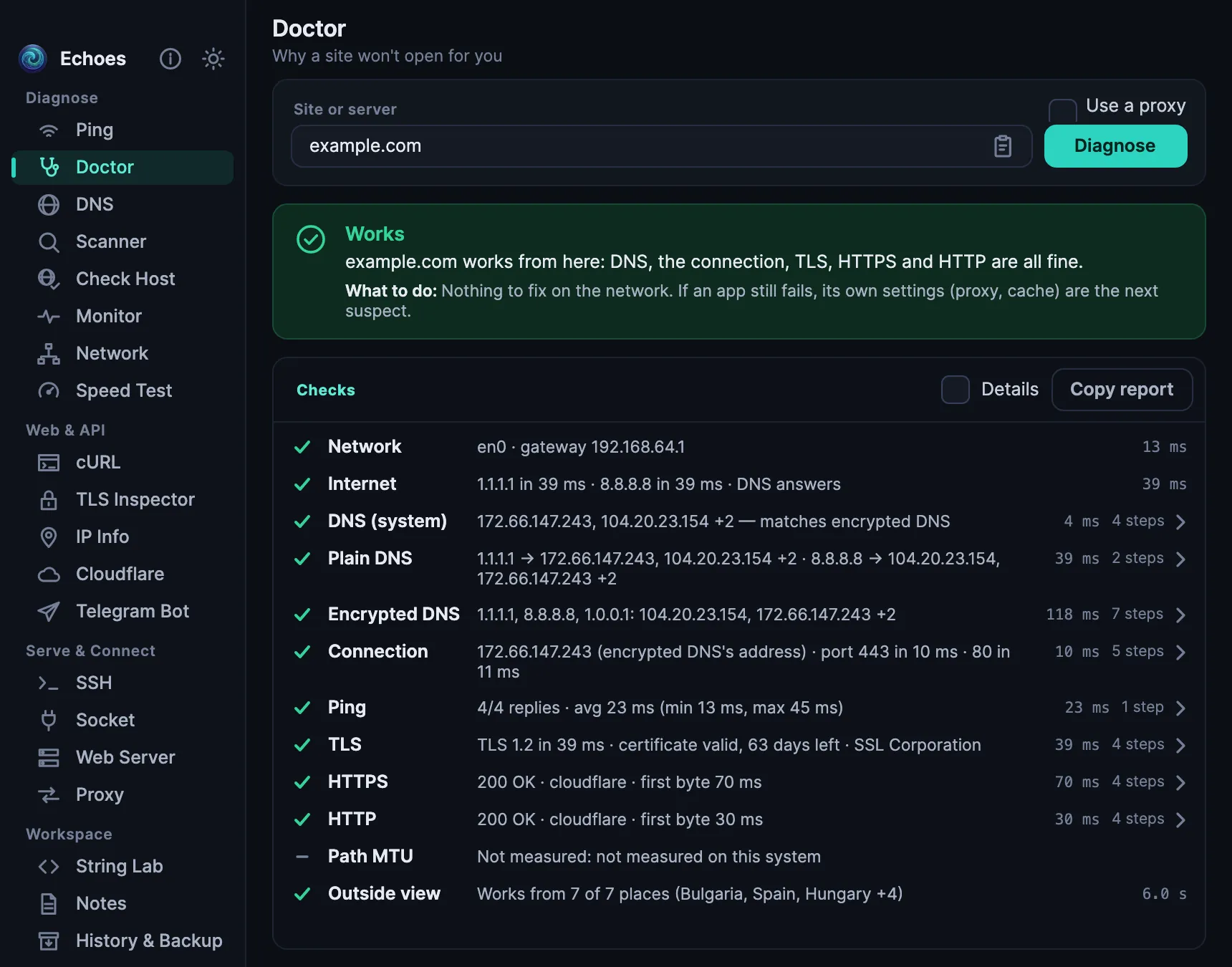
Echoes on a Mac: the Doctor says example.com works from here, with every check it ran
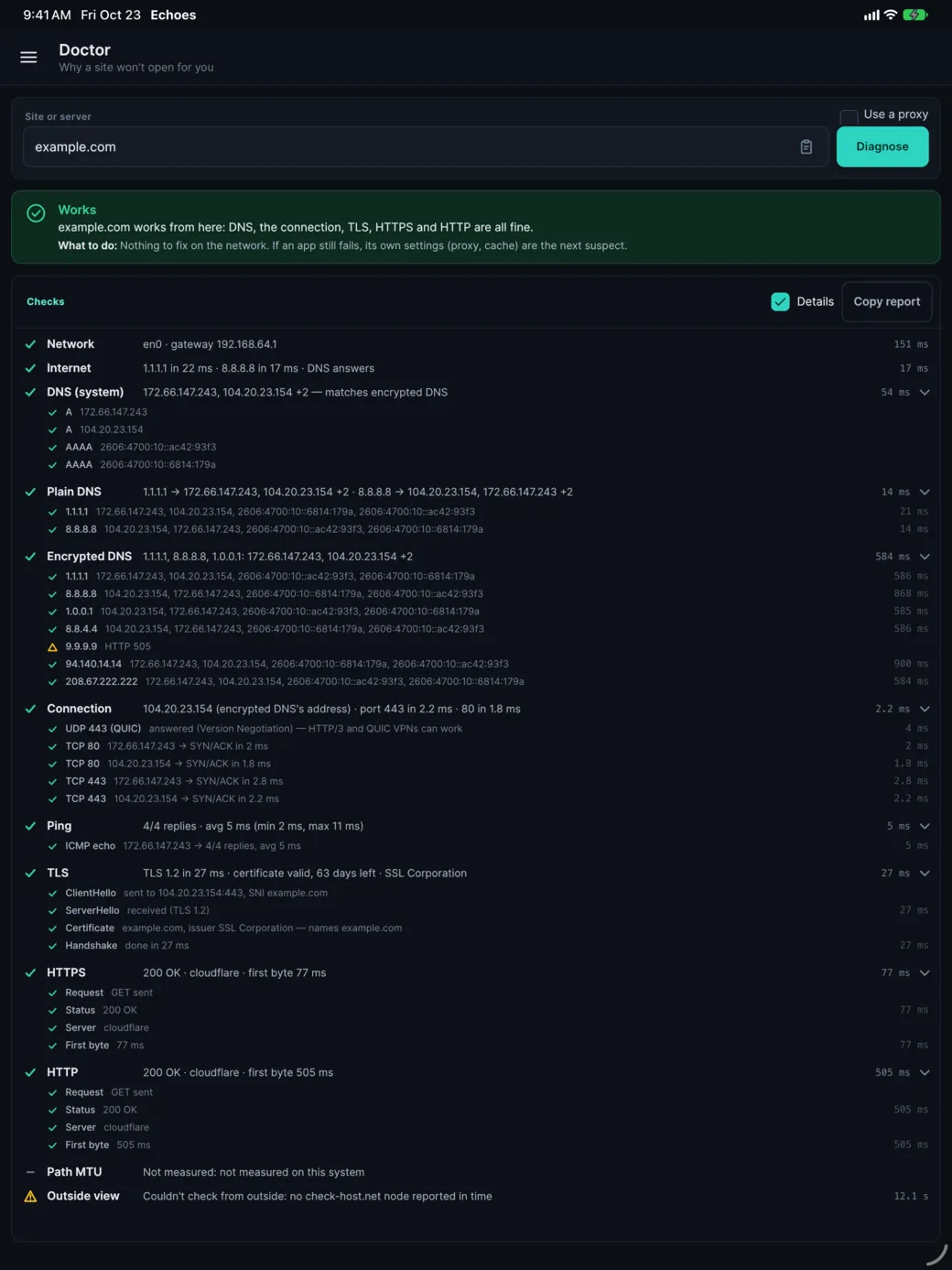
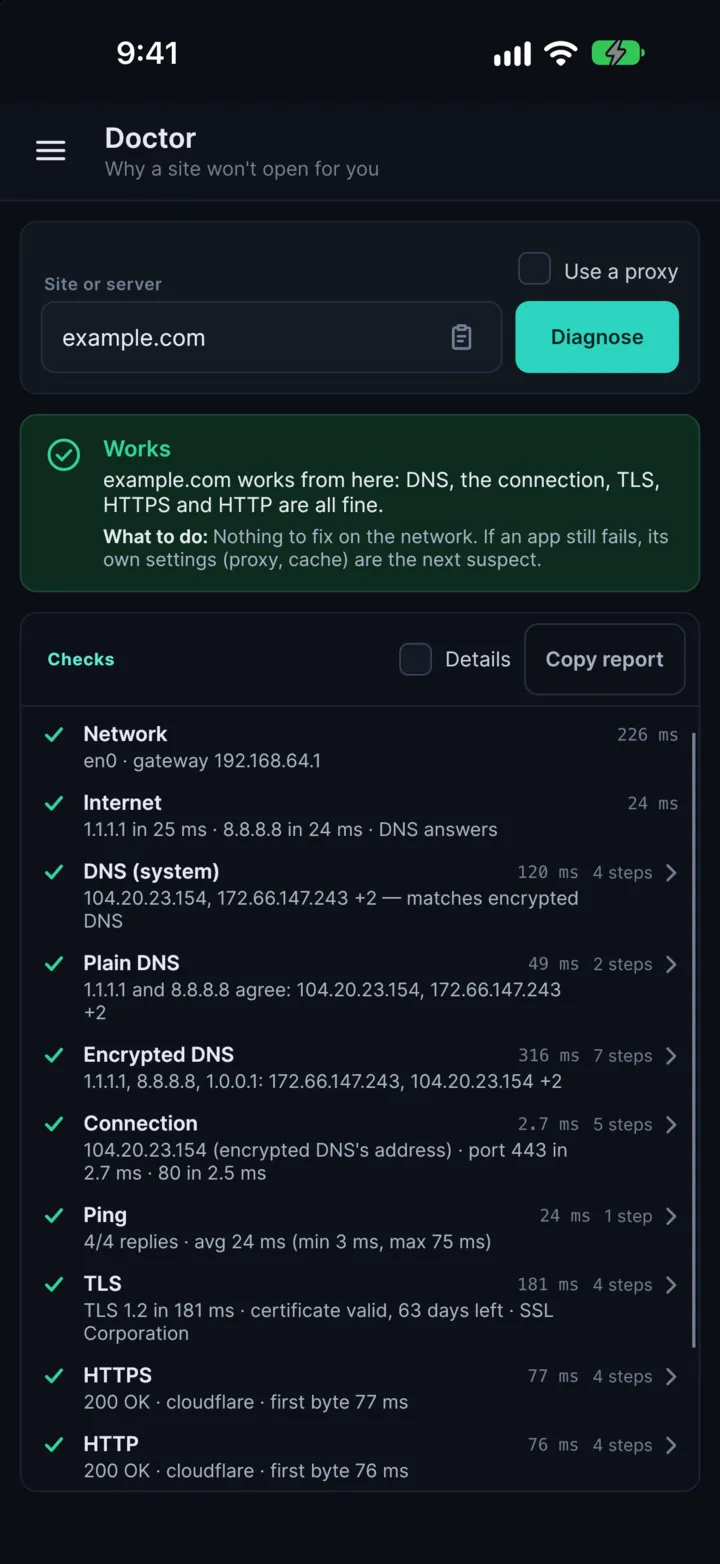
Echoes on an iPhone: the Doctor
Finds the cause for you Speed test Send files to any browser

One app instead of

pingtraceroutenmapcurldig and whoisPuTTYa speed-test websitethe Cloudflare dashboardEchoes
Doctor

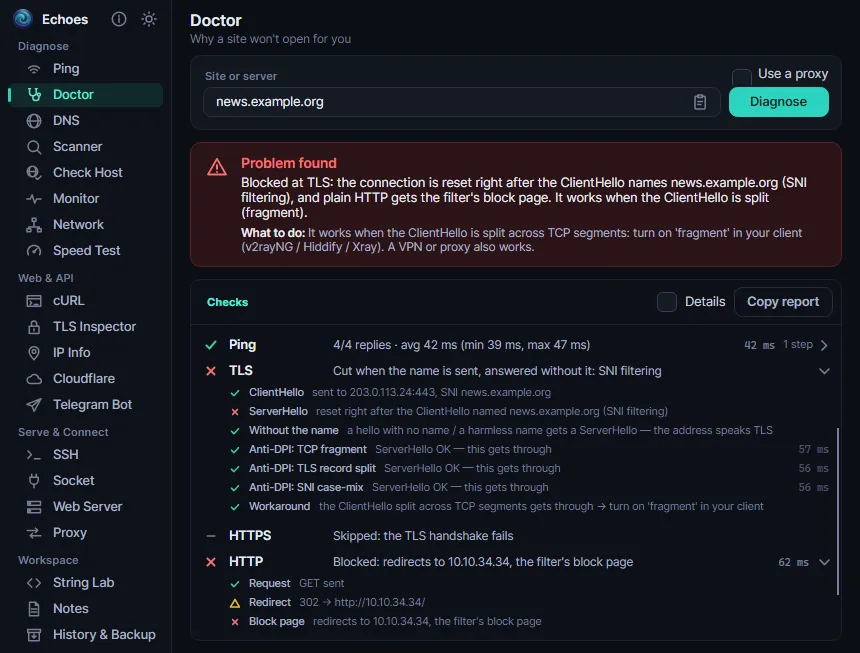
Website not opening? Find out why.

The Doctor checks everything between you and a site, then tells you in one sentence what is wrong, and what to do about it.

The Doctor finds SNI filtering: the site's address works, but not with its name

Your own network

The adapter, the gateway, a VPN or proxy, and a Wi-Fi login page that is in the way.

DNS that lies

Your system's DNS answers are compared with encrypted DNS, so forged answers and known filter addresses stand out.

Filtering or a blocked address

TLS is tried with and without the site's name, to tell name filtering (SNI) from a blocked IP address.

Down for everyone, or just for you?

The site is also checked from several countries, so you know whether the problem is the site or your connection.

Would a workaround help?

Retries with the first packet split in pieces say whether the “fragment” setting in apps such as v2rayNG, Hiddify or Xray would get through.

A report to share

Every step with its timing, and a report you can copy for whoever runs the network.

20 tools

Everything you need for a network, in one window

Four groups, as in the app: find problems, test websites and APIs, connect and serve, and the developer tools you use every day.

Diagnose8

PingLive stats and a graph, TCP ping, traceroute and MTR.
DoctorWhy a site won't open for you, in one sentence.
DNS & WHOISDNS over HTTPS and TLS, resolver comparison, mail check.
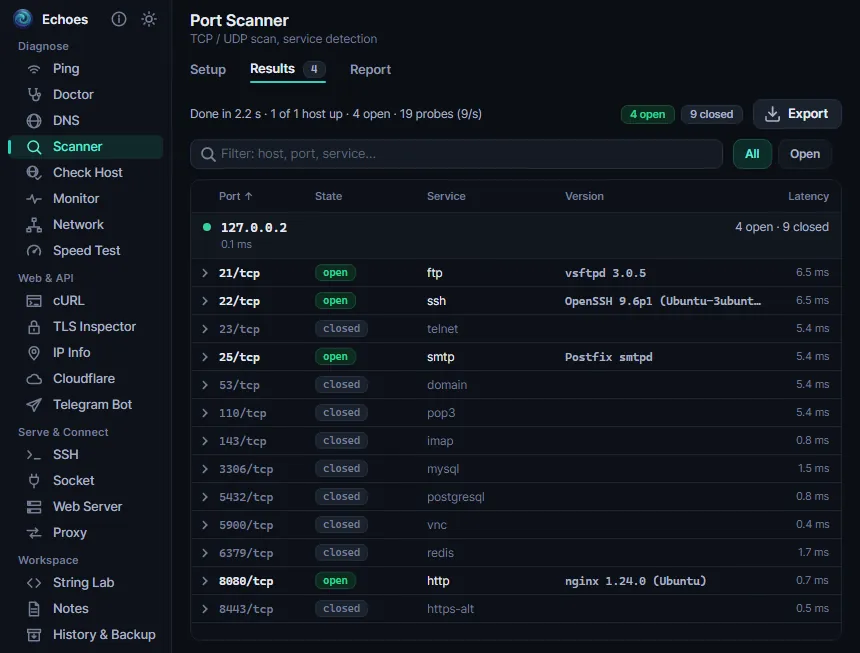
Port ScannerTCP and UDP scans with service detection.
Check HostPing, HTTP, TCP and DNS checks from around the world.
MonitorUptime checks, expiry warnings and Telegram alerts.
NetworkAdapters, Wi-Fi, neighbours, open ports and routes.
Speed TestDownload, upload, ping, jitter and latency under load.

Web & API5

cURLAn HTTP client that understands any curl command.
TLS InspectorCertificates, expiry, TLS versions and ciphers.
IP InfoYour public IP, and where any IP address is.
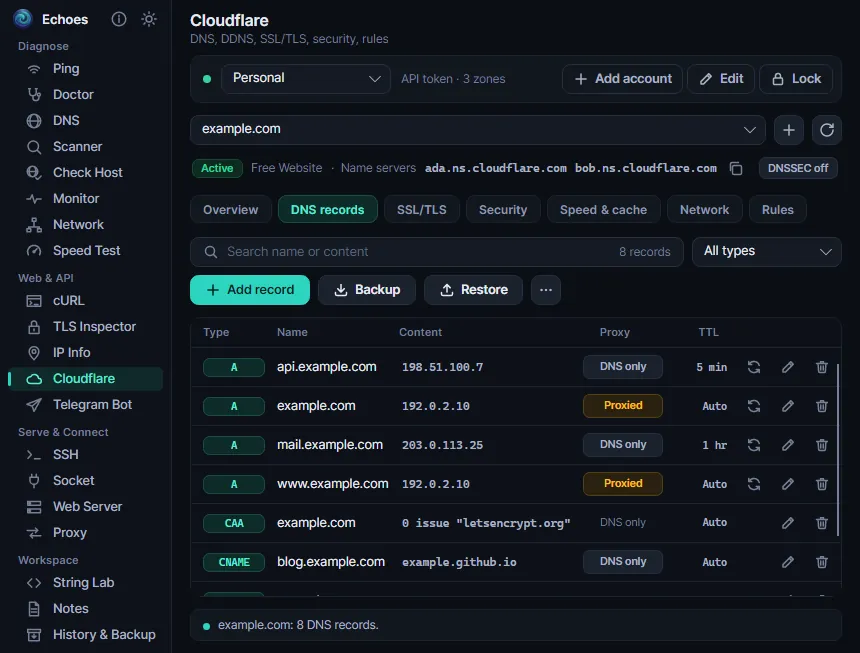
CloudflareDNS, SSL, rules and Dynamic DNS, without the dashboard.
Telegram BotCall any Bot API method and see the raw reply.

Serve & Connect4

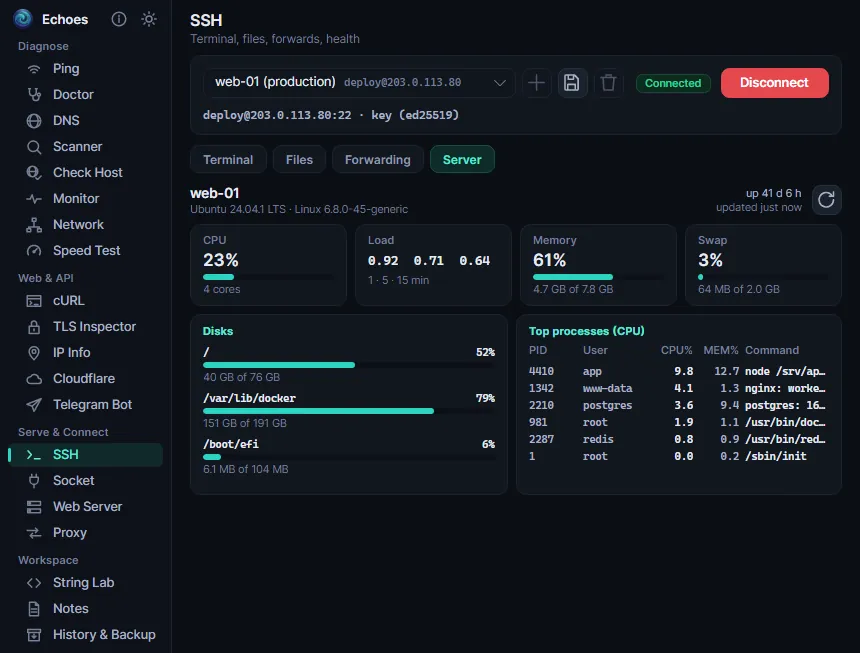
SSHTerminal, files, port forwarding and server health.
SocketTCP and UDP client and server, and WebSocket.
Web ServerShare files and chat with any device that has a browser, or catch webhooks.
ProxyA SOCKS5 and HTTP proxy, and a proxy list checker.

Workspace3

String LabEncode, hash, convert, diff and generate.
NotesNotes locked with a master password.
History & BackupRecent inputs, and one encrypted backup file.
A closer look

Simple to use, deep when you need it

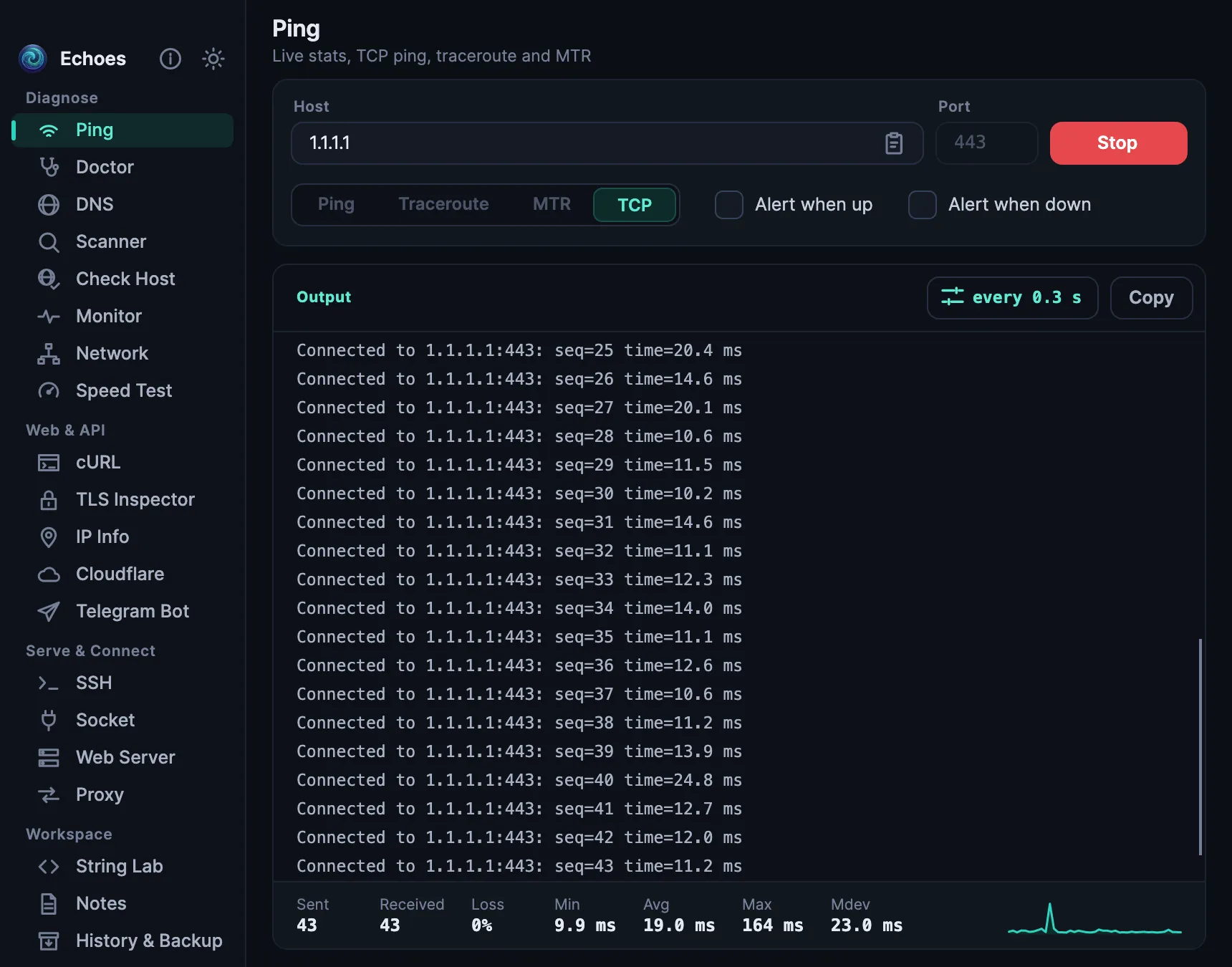
Ping, traceroute and MTR

Live replies, a latency graph and the numbers that matter, for any host.

  • TCP ping to a port, for hosts that don't answer normal ping.
  • Packet size, TTL and “don't fragment”, to find the largest packet a path takes.
  • No admin rights needed: where the system doesn't allow normal ping, Echoes switches to UDP by itself.
  • An alert when a host goes up or down.
Ping on a Mac: TCP ping to 1.1.1.1 port 443 with live replies and a latency graph

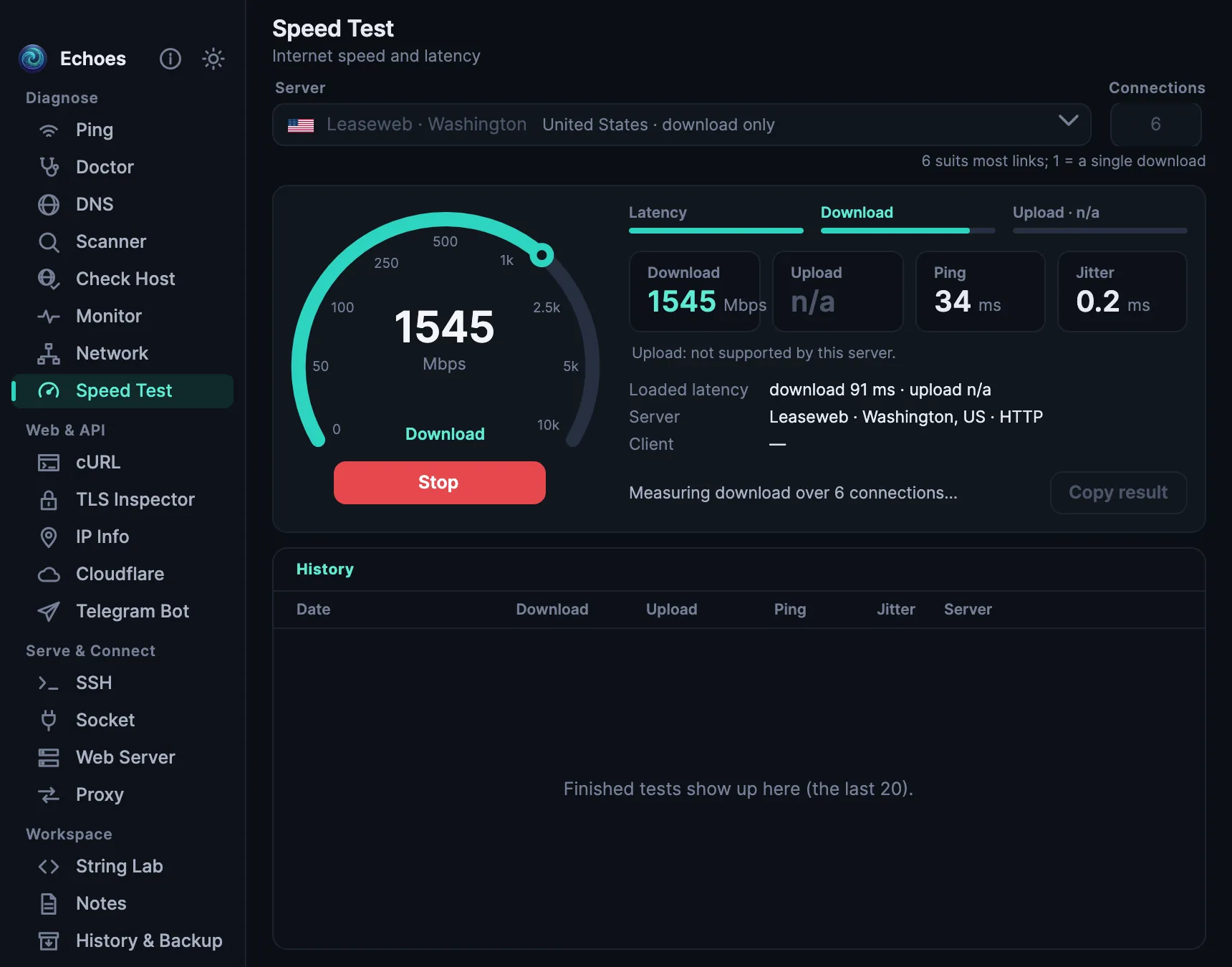
How fast is your internet, really?

Download, upload, ping and jitter, and how much the delay grows while the line is busy.

  • Cloudflare's nearest data centre, public test servers in more than 20 cities, or a server of your own.
  • A grade for latency under load (bufferbloat).
  • Up to 16 connections at once, and your last 20 results.
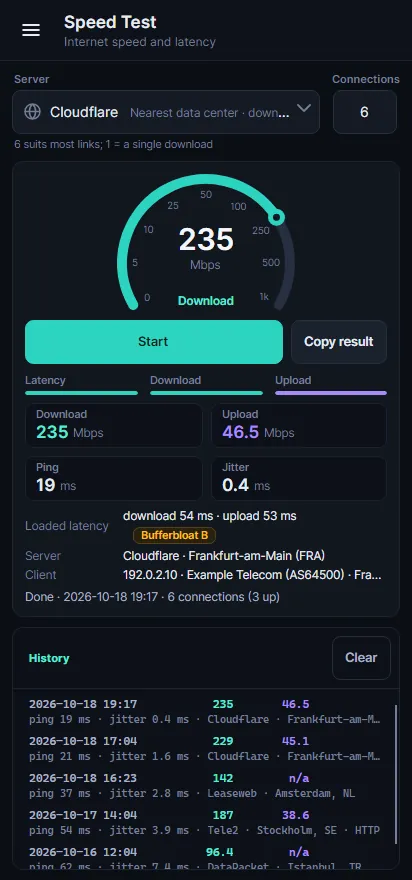
The speed test measuring the download speed against a server in Washington

Know when a site goes down

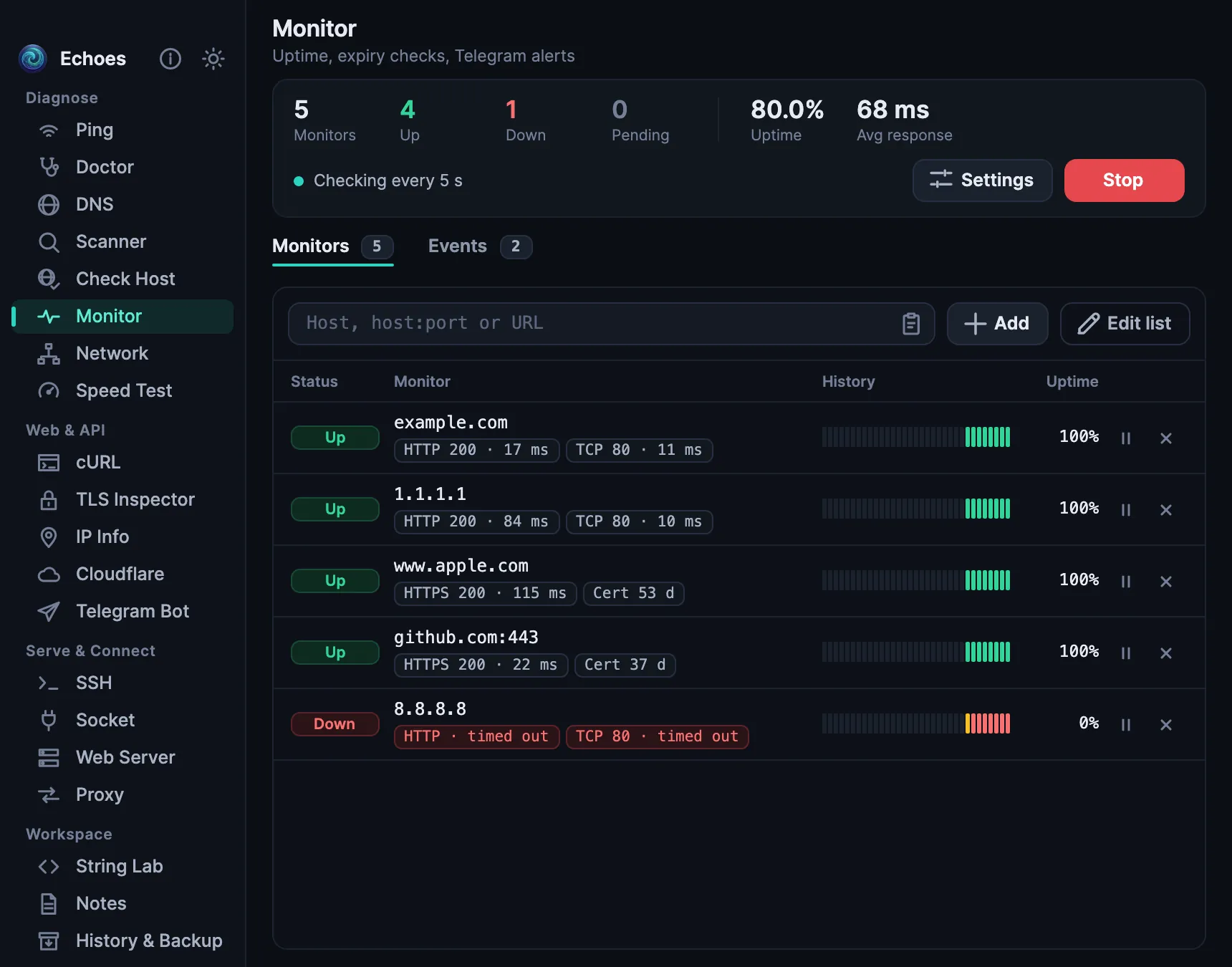
Watches your servers and websites, and tells you when one goes down or comes back.

  • Ping, TCP and HTTP checks, each with its own interval.
  • Alerts in Telegram, from a bot of your own.
  • Warnings before a certificate or a domain runs out.
  • Checks that a page does or doesn't contain some text.
The uptime monitor: four sites up and one down, with their history

Send files to any device

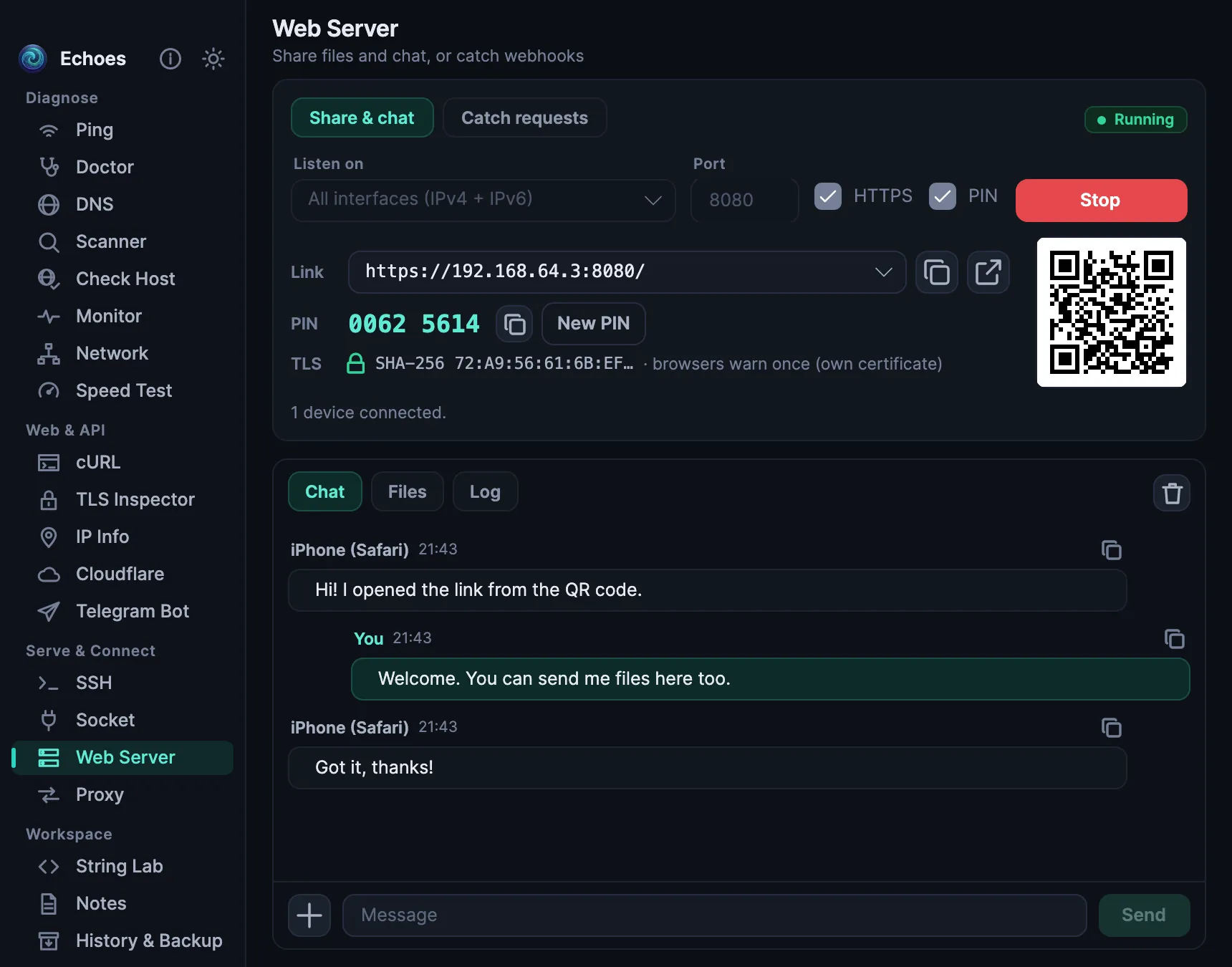
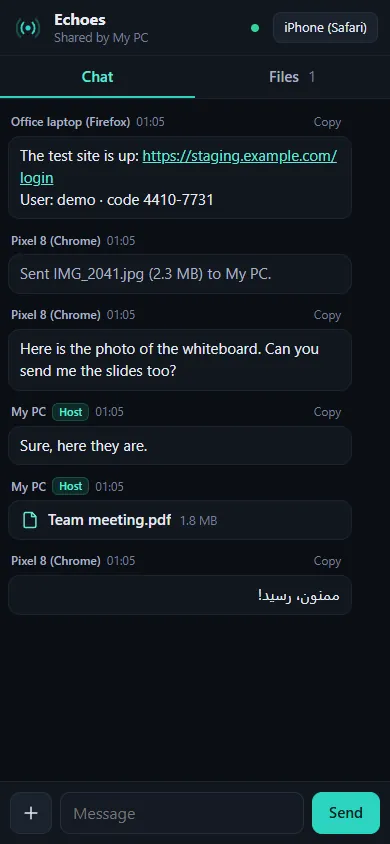
Share and chat between your computer and a phone, a laptop or any other device. Scan a QR code: the other side needs only a browser.

  • HTTPS with the device's own certificate, behind an 8-digit PIN. Browsers warn once, because the certificate is the device's own.
  • Files both ways, with drag and drop, and downloads that resume.
  • Each shared file has its own link and QR code.
  • Or catch webhook requests and see each one in full.
The web server sharing files and chat, with its link, PIN and QR code
The share page in a phone's browser

DNS, the way you need it

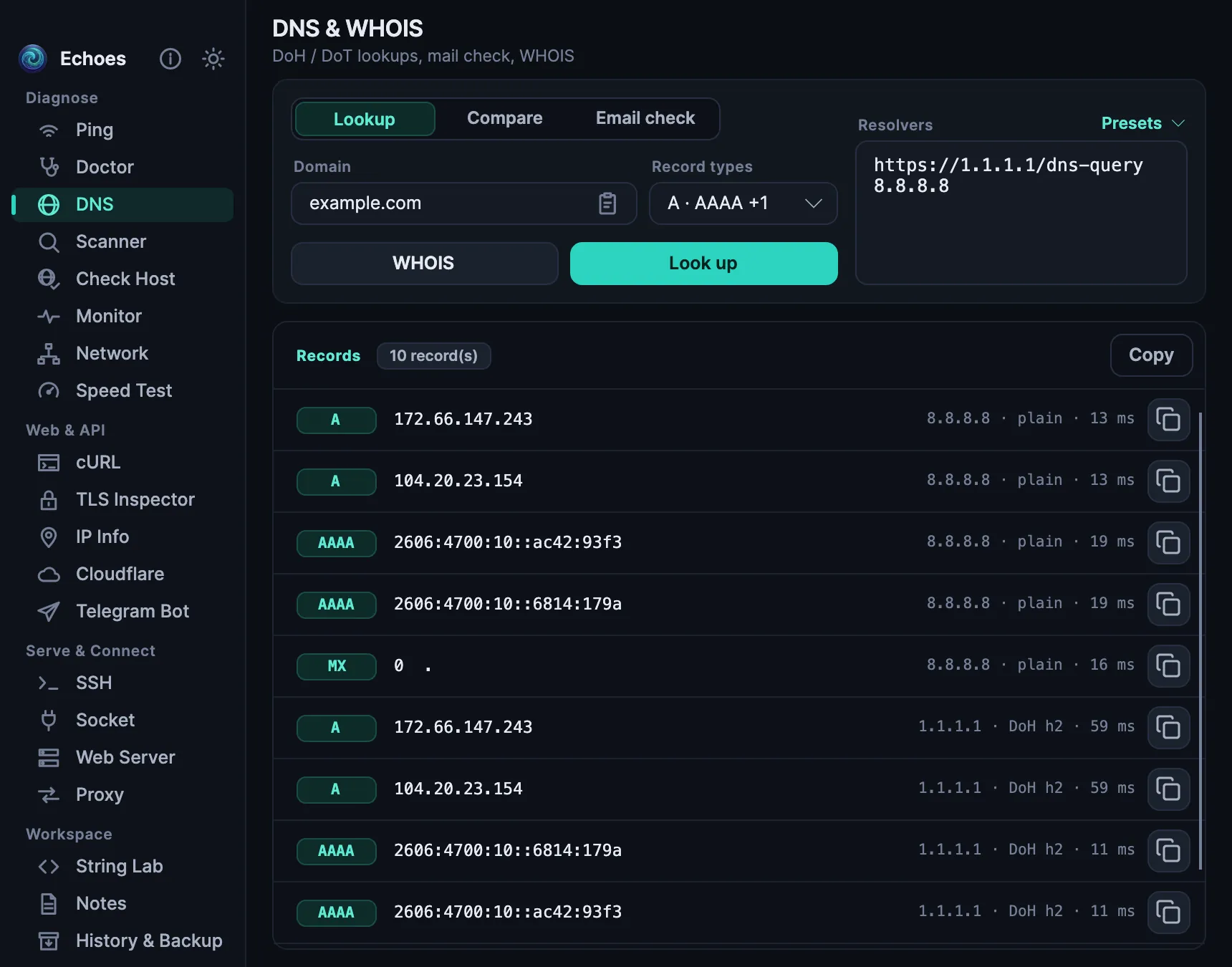
Plain DNS, DNS over HTTPS and DNS over TLS, side by side.

  • Compare many resolvers at once, with tampered and filtered answers marked.
  • A mail check: MX, SPF, DMARC, DKIM, MTA-STS, TLS-RPT and blocklists.
  • WHOIS through RDAP, with the domain's expiry date.
DNS lookups for example.com over plain DNS and DNS over HTTPS

Check any website's certificate

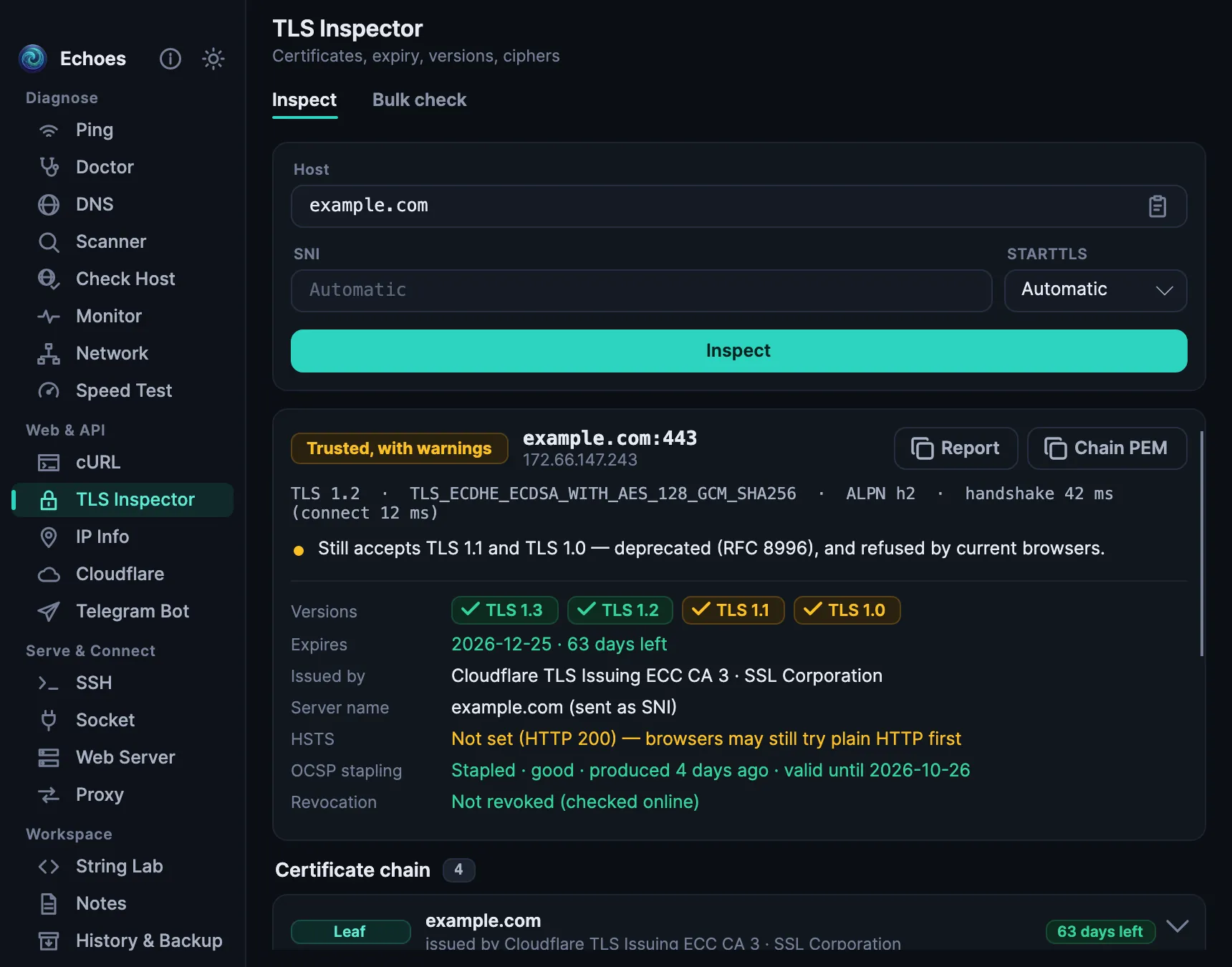
A clear verdict first, then all the details.

  • Each TLS version tested on its own, with the cipher and ALPN.
  • The full chain, fingerprints, OCSP stapling and HSTS.
  • STARTTLS for mail and FTP servers, and a bulk expiry check for many sites.
The TLS inspector: example.com is trusted, with the TLS versions it accepts

Test websites and APIs

Paste any curl command, from bash, cmd, PowerShell or a browser's “Copy as cURL”, and send it.

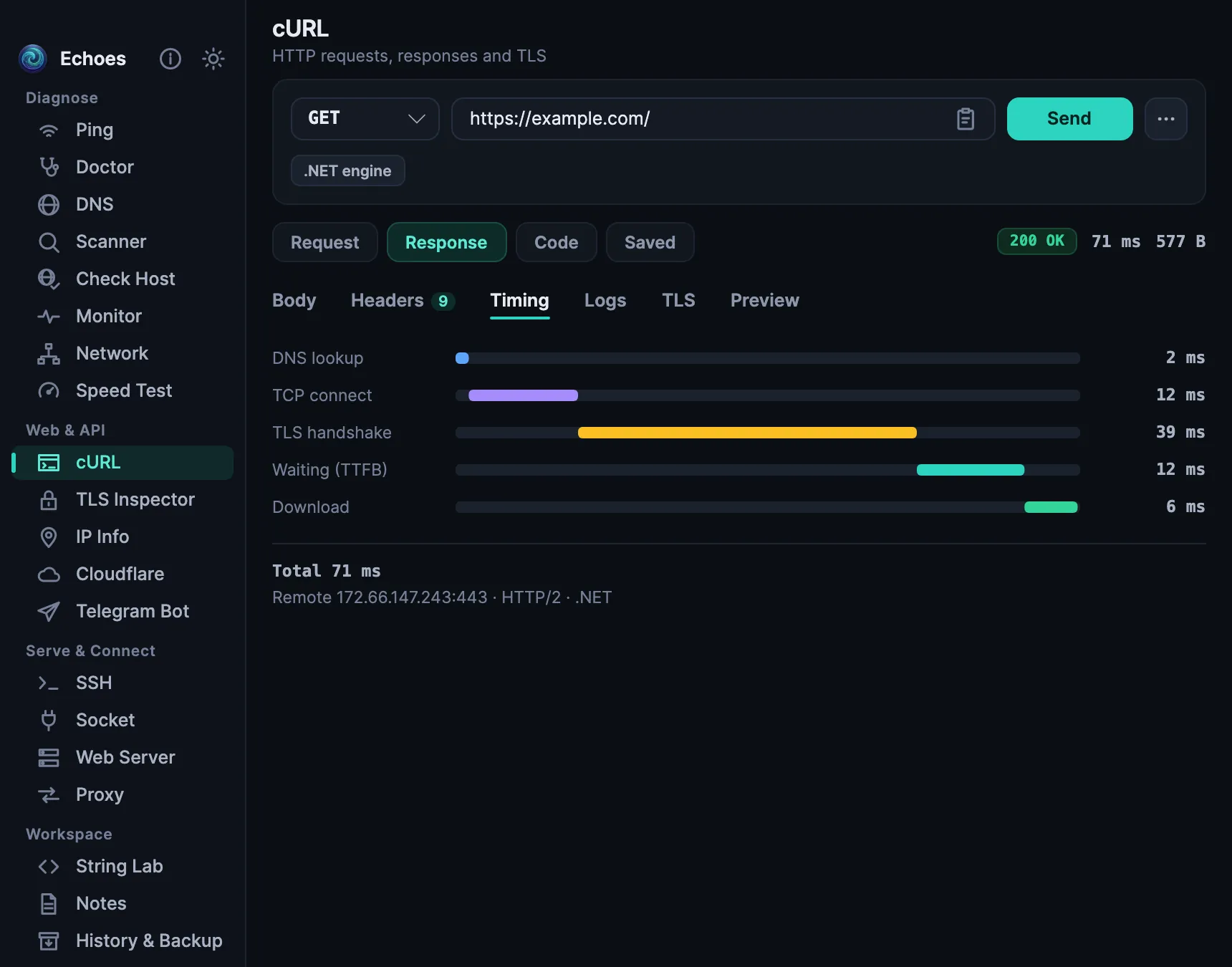
  • Timing for each step: DNS, connect, TLS and the first byte.
  • Headers, cookies, redirects, TLS and a preview of the page.
  • Code for curl, PowerShell, Python, JavaScript, HTTPie and wget.
  • Saved requests are encrypted.
The cURL tool: a GET request with the timing of each step

Everyday developer tools

The small things you would otherwise search the web for, on your own device.

  • Base64, URL and hex, hashes and HMAC, JWT decode, verify and sign.
  • JSON, YAML and CSV, regex, diff, cron and subnets.
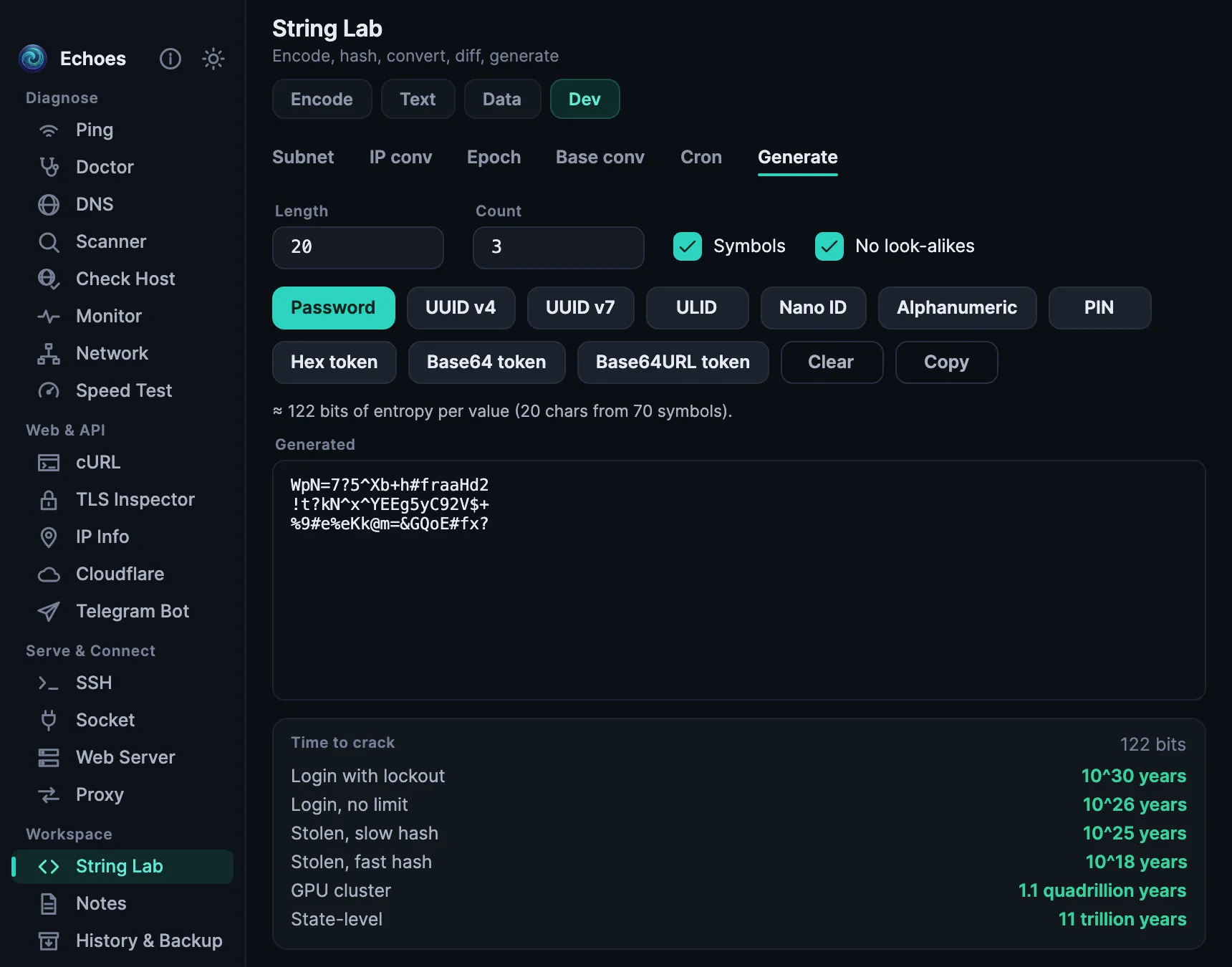
  • UUIDs, ULIDs and passwords, with how long a password would take to crack.
String Lab generating passwords, with the time each would take to crack

And more

Every device

One app, on all your devices

The same tools on iPhone, iPad, Mac, Windows, Linux and Android, from one codebase, with layouts made for each screen.

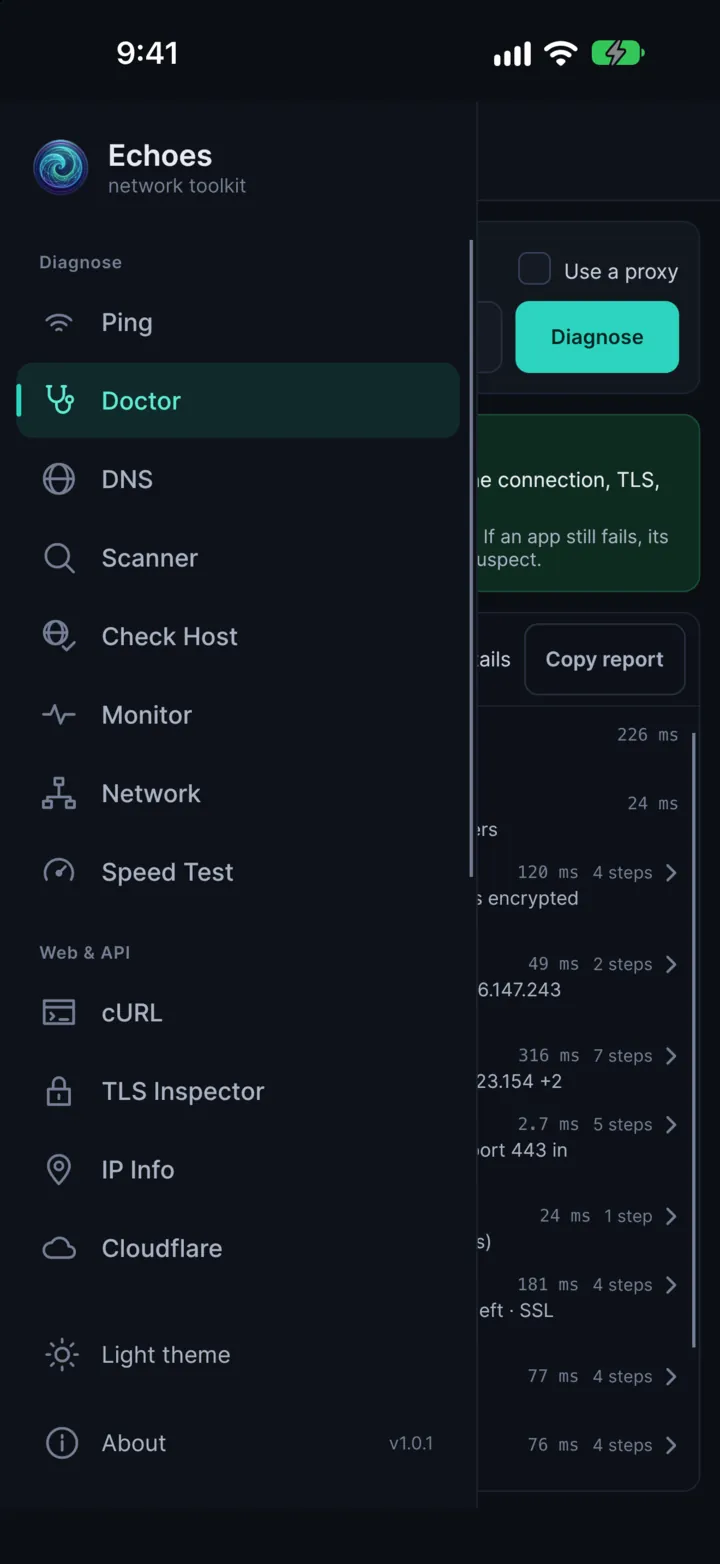
Echoes on an iPhone: the menu with the tools
Echoes on an iPad: the Doctor
Echoes on an Android phone: the speed test

A few tools depend on the system. On iPhone and iPad, servers, the monitor and scans run only while Echoes is on screen, and the Wi-Fi analyzer is on Windows and Linux only.

Private

Echoes collects nothing

No account, no ads, no analytics and no tracking. Nothing is sent to the developer, who can't see what you test, where you connect or what you save.

It stays on your device

Settings, history, notes, saved requests and tokens stay in the app's own folder. Secrets are encrypted, and notes are locked with your master password.

Nothing runs by itself

The web server, proxy, request catcher and socket listeners start only when you press Start. On its own, Echoes only checks for a new version, and only in the builds from GitHub.

Data Not Collected

That is what the App Store's privacy label says. The source code is public, so you can check it.

Read the privacy policy

Free

Free and open source

No ads, no paid version, no in-app purchases and no account, on every platform.

  • Free on the App Store, with no in-app purchases.
  • Free on GitHub for Windows, macOS, Linux and Android.
  • The source code is public under the MIT license.
  • The desktop builds are native apps: nothing else to install, a fast start and little memory.
Download

Get Echoes

On iPhone, iPad and Mac, from the App Store. For Windows, Linux, Android and a direct macOS download, from GitHub.

Windows

Windows 10 and 11 (x64) · .zip

macOS

macOS 12 or later · signed and notarized .dmg

Linux

x64 · glibc 2.35 or later (Ubuntu 22.04, Debian 12, Fedora 36 and newer)

Android

Android 6.0 or later · .apk

  • The app itself is in English.
  • The Windows build is not code-signed yet, so Windows may warn you the first time: choose More info, then Run anyway.
  • The App Store versions update through the App Store. The downloaded versions tell you when a new version is out.
Help

Questions and answers

Is Echoes really free?

Yes. Echoes is free and open source under the MIT license, with no ads, no paid version, no in-app purchases and no account, on every platform.

Does Echoes collect any data?

No. There is no account, no analytics and no tracking, and nothing is sent to the developer. Some tools are built on public services, such as a speed-test server or a DNS resolver, and those see your request like any website you visit. The privacy policy lists them all.

Which devices does it run on?

iPhone and iPad (iOS and iPadOS 15 or later) and Mac (macOS 12 or later) from the App Store; Windows 10 and 11, Linux, Android 6.0 or later and macOS from GitHub.

Do I need admin rights?

No. Where the system doesn't allow normal (ICMP) ping, Echoes switches to UDP by itself.

Is Echoes a VPN?

No. Echoes doesn't change how your device connects. The Doctor only tells you what blocks a site, and whether a setting in another app would get around it.

Is the app in my language?

Not yet: the app is in English. This website is translated so that more people can read about it.

Can I scan any network?

Scan only your own network and the servers you manage. Scanning other people's networks may be against the law where you are.

How is it different on iPhone and iPad?

iOS lets apps work in the background only briefly, so servers, the monitor and scans run while Echoes is on screen, and it keeps the screen on for them. A few tools that need the system's network details, such as the Wi-Fi analyzer, are not there.